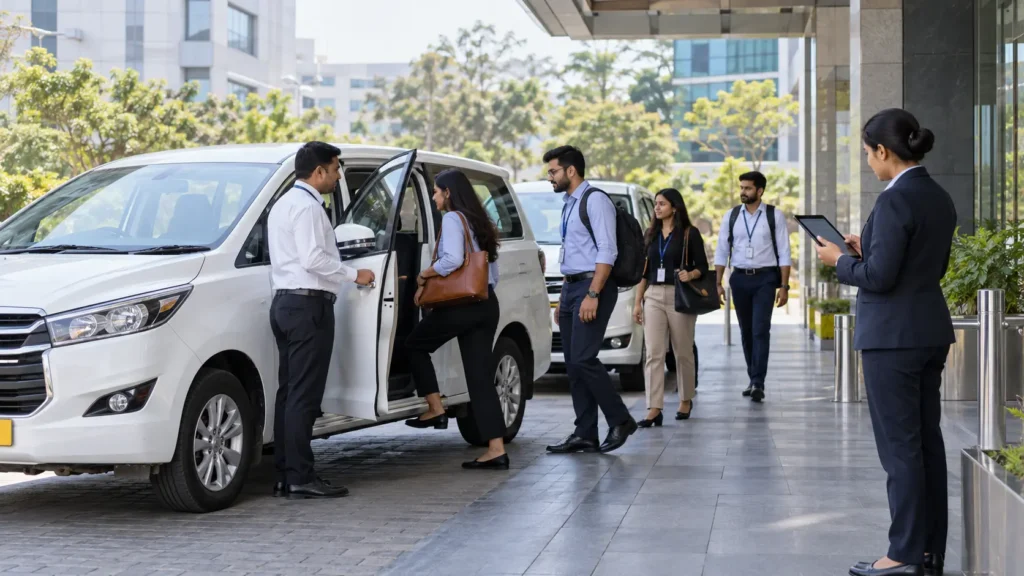
GCC employee transportation software meets seven main barriers in India: fragmented vendors, budget scrutiny, system integration, compliance risk, data security, hybrid demand, and change management.
India had 2,117 GCCs and 2.36 million GCC professionals in FY26, according to the Zinnov-NASSCOM India GCC Landscape Report 2026.
Every one of those centers moves people to work, and many run night shifts or operate in more than one city.
A March 2026 Routematic and Research NXT benchmark found that about 60% of GCCs lack an integrated transport management system. This guide explains why, and how Routematic TaaS approaches each barrier.
Why Is GCC Employee Transportation Harder Than a Standard Office Commute?
GCC employee transportation is harder because it combines scale, shift variety, and global governance: a GCC answers to a parent company that expects audit-ready records, while the local team keeps thousands of people moving safely.
Three factors add pressure:
- Multiple sites: Bengaluru, Hyderabad, Pune, Chennai, Mumbai, and Delhi NCR each have their own vendors and rules.
- Odd shift hours: Work for global teams often runs late, so night transport becomes routine.
- Hybrid attendance: Daily headcount changes, so fixed routes waste seats.
Consider a GCC with one site in Bengaluru and one in Pune. Each site uses a different vendor, a different app, and a different invoice format, so a late-night drop in Pune goes to a local supervisor while the head of administration sees it two days later in a spreadsheet. Transport software is meant to close that gap.
What Are the Biggest Employee Transportation Challenges in GCCs?
The biggest employee transportation challenges in GCCs are vendor performance, budget pressure, and employee dissatisfaction. The Routematic and Research NXT survey of 100 professionals named these three as the top challenges at scale.
The same survey found that 36% of organizations report fluctuating daily demand because of hybrid work. It also found that predictive capabilities are almost absent, so most commute operations stay reactive.
What Are the Main Barriers to Adopting Employee Transportation Management Software?
Seven barriers appear most often, and each one comes from how GCCs buy, run, and govern transport today.
Fragmented Vendors Across Cities
GCCs often inherit a different vendor in each city, and each vendor has its own app, billing format, and service standard. Software cannot standardize what vendor contracts don’t allow.
The fix is to consolidate vendors into one operating standard before or during rollout. One platform should hold rosters, trips, and bills for every site.
Budget Pressure and Unclear Returns
Budget pressure is a top challenge in the survey, and finance teams want proof that software will cut spend rather than add a license fee on top of existing costs.
Ask for returns on named accounts: in a Routematic case study, AI forensics cut a BFSI client’s routing costs by about 12% in 30 days, and another case shows automated billing uncovering ₹12 crore in hidden transport costs.
Integration With Existing Systems
Transport software needs roster data from the HRMS and must pass trip and cost data to finance, so a weak integration forces admin teams to re-enter data by hand.
Ask the vendor to show a working connection to your HRMS in a test environment, because a slide is not proof.
Compliance and Safety Doubts
Software can show where a cab is, but it cannot verify that the driver passed a background check or that the vehicle is fit, so buyers worry that a platform will report compliance without enforcing it.
The OSH Code adds weight because the Ministry of Labour’s FAQ lists safety, transport, and security as employer duties for women working between 7 PM and 6 AM, with the woman’s consent, and outsourcing does not transfer that duty.
Data Privacy and Security
Transport platforms hold names, addresses, phone numbers, and movement history. Security teams ask how that data is stored, who can see it, and what happens in a breach.
According to the Press Information Bureau, failing to maintain reasonable security safeguards under the DPDP Act can attract a penalty of up to ₹250 crore (2025). Therefore, obtain security controls in writing before you sign.
Hybrid Demand That Is Hard to Forecast
Daily attendance changes, so a static roster wastes vehicles, and teams doubt that software can predict demand well enough to matter.
Forecasting only works with clean roster data and shift history, so the first step is to feed one site’s attendance into the system and compare predicted seats with actual boardings.
Change Management and Fear of Disruption
Teams already know their current vendor, and a switch risks missed pickups, employee complaints, and a long escalation trail, while leaders also worry about long contracts that are hard to exit.
Phase the move by piloting one site or shift, keeping the old process running in parallel, and writing exit terms into the contract.
What Should Employee Transportation Solutions for GCC Teams Prove Before You Buy?
Employee transportation solutions for GCC teams should prove control, not just visibility, because a dashboard that shows late cabs does not fix them. Ask for evidence in four areas:
| Area | What to ask for |
| Fleet control | Who owns and maintains the vehicles |
| Driver compliance | Background checks, licences, and alcohol checks on file |
| Safety | Live SOS routing to a staffed command centre and recorded safe drops |
| Billing | Bills matched to recorded trips, with a stated closure time |
Use this short checklist during vendor demos:
- Can you reconstruct any trip from six weeks ago, with driver, route, GPS log, and bill?
- Does the vendor control the vehicles, or only coordinate other vendors?
- Who answers the phone at 2 AM when a cab leaves its route?
- Does the platform work the same way in every city you operate in?
- How does the vendor report incidents to you, and how fast?
How Does Automated Employee Transportation for GCCs Work in Practice?
Automated employee transportation for GCCs follows a repeatable workflow, which Routematic runs as follows:
- Read the roster. The platform pulls shifts and leave from the HRMS.
- Forecast demand. AI predicts boardings by zone and shift.
- Plan routes. Zone-based routing groups riders to raise seat occupancy.
- Assign verified vehicles. Routematic operates a 4,500-vehicle owned fleet, with compliance checks on drivers and vehicles.
- Monitor live. A 24×7 command centre tracks every trip and handles SOS alerts.
- Confirm safe drop. The system confirms 98% of women’s safe drops automatically. A call confirms the remaining 2%.
- Validate the bill. Invoices are checked against recorded trips, and billing closes in under five days.
Routematic reports 100% driver and vehicle compliance and 12 to 18% cost savings across its client base and serves 400+ enterprises, including 125 GCCs, across 24 cities.
Who Owns Employee Transportation Management for Global Capability Centers?
Employee transportation management for global capability centers needs shared ownership: admin or facilities teams run daily operations, IT owns integrations and data security, HR reviews safety and employee feedback, and finance reviews cost and billing.
Name one accountable lead and give each team a clear checkpoint, because decisions otherwise stall between departments.
This matters because employee transportation challenges in GCCs rarely sit in one department: a billing dispute involves finance, a missed night drop involves HR, and a data request involves IT, so a single owner is needed to keep these threads together.
How Can GCC Employee Transportation Teams Clear These Barriers?
Clear the barriers in order, starting with the ones that block approval, using this process:
- Baseline the operation. List sites, routes, vendors, vehicles, and monthly spend.
- Set targets. Choose on-time arrival, safe-drop confirmation, complaint volume, and billing closure time.
- Run a security and legal review. Cover the OSH Code, DPDP duties, and data handling.
- Pilot one site. Run old and new systems side by side.
- Compare to baseline. Move on only when the pilot meets its targets.
- Expand city by city. Reuse the same standards at each site.
| Barrier | First action |
| Fragmented vendors | Consolidate to one operating standard |
| Budget pressure | Ask for case studies with numbers |
| Integration | Test the HRMS connection |
| Compliance | Request driver and vehicle records |
| Data security | Get written controls |
| Hybrid demand | Test forecasts on one site |
| Change management | Pilot with parallel running |
Teams that want software without running the fleet can look at the Routematic Transport SuperApp.
FAQs
How long does it take a GCC to move to automated transport?
The timeline depends on the number of sites and integrations, and most GCCs start with a single site or shift and expand once results hold. The pace should be set by pilot targets rather than a fixed calendar.
Can a GCC keep its existing local vendors after adopting software?
Yes, if the platform manages those vendors under one standard, with clear SLAs and a single record of trips and bills. If vendor quality varies too much, a managed service with an owned fleet may be a better fit.
What should the contract include to avoid lock-in?
It should include numeric SLAs with penalties, access to trip data, a defined export format, a deletion date for personal data, and clear exit terms. Legal should review the contract before signing.
Does transport software help with ESG reporting for GCCs?
It can, if it tracks electric-vehicle share and emissions by trip; about 10% of Routematic’s fleet is electric. Ask any vendor how it measures emissions and how often it reports them.
Who inside a GCC should approve the purchase?
The transport or facilities head usually leads, while IT, HR, finance, and procurement sign off on their own areas. Treat transport as a governance function, not just an admin task.
Want to see how your GCC scores against these barriers? Talk to Routematic for a review of your current commute operation.
Disclaimer: Standards and requirements mentioned in the article may vary by organization, location and applicable regulations. Readers should verify details for their specific context. For any further clarification, email – marketing@routematic.com
About the author

Sandeep Padhi
Chief Operating Officer, RouteMatic
As COO of RouteMatic, Sandeep Padhi brings extensive expertise in transport operations, fleet management, and enterprise mobility. He shares practical insights on scaling transportation programs, operational excellence, compliance, driver ecosystems, and building reliable mobility solutions for modern enterprises.